
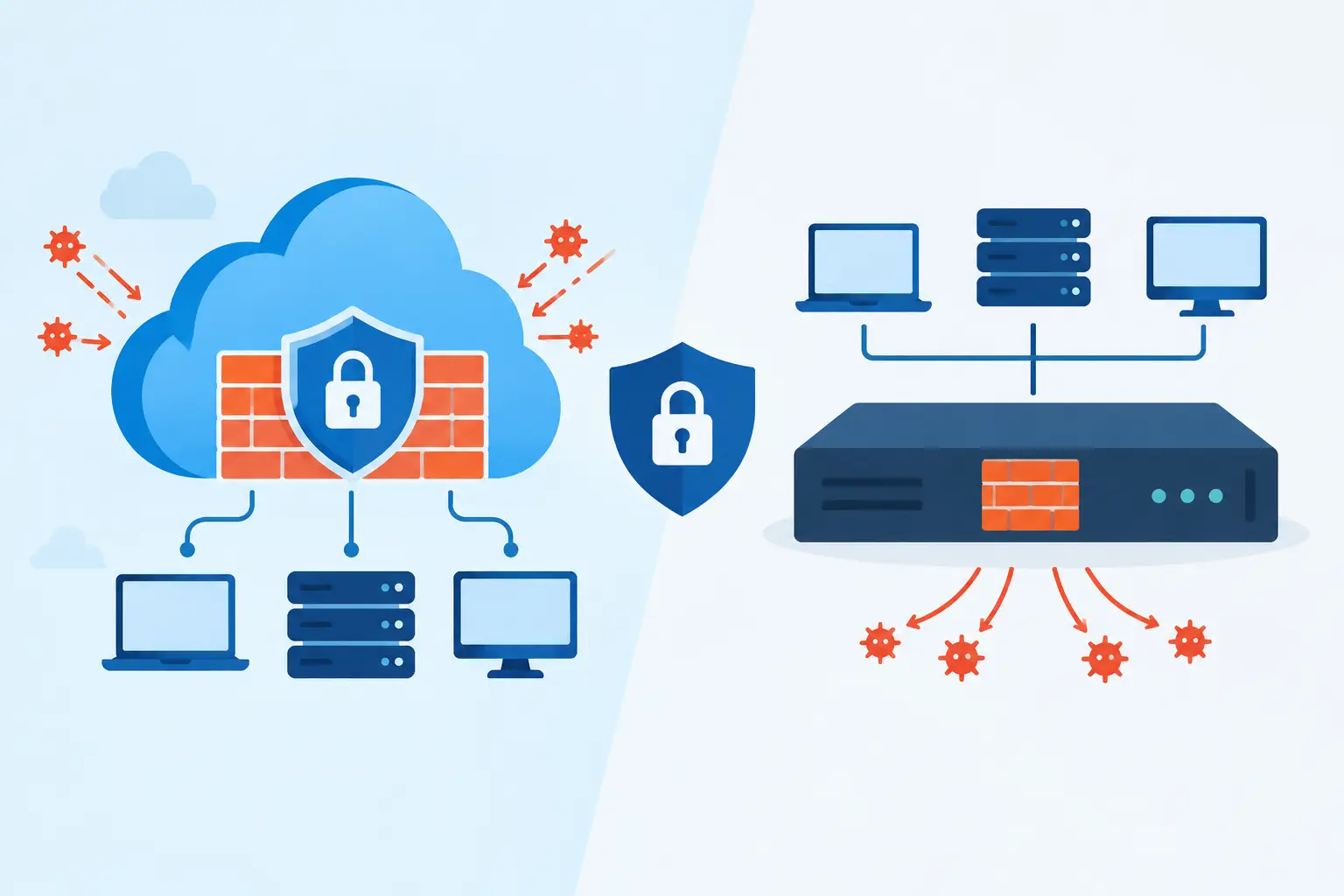
A firewall decision can affect far more than internet access. It influences how reliably employees reach cloud applications, how quickly a remote office can come online, and how well your business contains a security incident. When evaluating a cloud firewall vs appliance, the right answer depends on where your users, applications, data, and operational responsibilities actually reside.
For many growing organizations, the question is not whether one approach is universally better. It is whether a cloud-delivered service, an on-site security appliance, or a hybrid design provides the protection, performance, and support model the business needs.
Cloud Firewall vs Appliance: The Core Difference
A firewall appliance is physical hardware installed at a business location, data center, or branch office. It sits at the network edge and inspects traffic moving between the local network and the internet. Modern next-generation firewall appliances can also provide intrusion prevention, web filtering, VPN access, application control, and network segmentation.
A cloud firewall delivers those controls from cloud infrastructure rather than a device in your server room or network closet. Traffic may be routed through the provider’s security platform, or cloud firewall policies may protect workloads running in public cloud environments. This model is often part of a broader security service edge or secure access service edge strategy.
The distinction matters because it changes where traffic is inspected, who maintains the infrastructure, and how security policies reach users and locations. An appliance is closely tied to the physical network. A cloud firewall is designed around internet-connected users, applications, and workloads that may be distributed across many locations.
Where a Firewall Appliance Performs Best
An appliance remains a strong choice for businesses with a central office, predictable on-site traffic, and systems that must stay local. Manufacturing environments, medical offices, warehouses, and organizations with on-premises servers often benefit from having high-performance security controls installed at the site.
Consistent Local Performance
When a large share of traffic stays within the building or travels from the office to a nearby data center, an appliance can provide efficient inspection without sending that traffic through an additional cloud security point. This can matter for file servers, voice systems, video surveillance, production equipment, and other latency-sensitive systems.
Appliances also give IT teams direct control over network segmentation. A properly configured firewall can separate guest Wi-Fi, employee devices, security cameras, voice systems, operational technology, and sensitive financial or healthcare data. That separation reduces the chance that a compromised device can move freely across the network.
Clear Control at the Network Edge
Some organizations need security policies that are tightly integrated with their switches, wireless infrastructure, private circuits, or site-to-site connections. An on-site appliance can be a practical control point for those environments, particularly when internet connectivity is stable and employees primarily work from one or a few facilities.
The trade-off is ownership. Hardware must be sized correctly, licensed, patched, monitored, backed up, and eventually replaced. A firewall that was appropriate three years ago may not have enough capacity once encrypted traffic, cloud applications, remote users, and new locations are added.
When a Cloud Firewall Makes More Sense
A cloud firewall is often a better fit when work happens beyond the office walls. Organizations with remote staff, multiple branches, frequent travel, SaaS-heavy operations, or cloud-hosted applications can apply consistent controls without forcing every user to connect through headquarters.
Security That Follows the User
Traditional perimeter designs assume the office is the center of business activity. That assumption no longer holds for many companies. Employees may access Microsoft 365, CRM platforms, accounting systems, collaboration tools, and cloud applications from home, customer sites, and mobile connections.
A cloud firewall can apply web filtering, threat prevention, access policies, and visibility closer to the user and application. Rather than backhauling all traffic through a central appliance, the business can inspect internet-bound traffic where it enters the cloud security service. This can improve the experience for remote users while maintaining policy consistency.
Faster Growth Across Locations
Opening a small branch office traditionally required ordering, configuring, and shipping a firewall appliance, then coordinating an installation. Cloud-delivered controls can simplify parts of that process, especially when the new location relies primarily on cloud applications and standard internet access.
That does not eliminate the need for local network equipment or thoughtful design. A branch still needs reliable connectivity, secure Wi-Fi, segmentation, and contingency planning. But a cloud firewall can reduce the amount of security infrastructure that must be deployed and maintained at every site.
Security Capability Is Not the Only Decision Factor
Both models can deliver advanced protections. Comparing feature lists alone can lead to the wrong decision. The operational details behind those features deserve equal attention.
First, consider traffic flow. If a cloud firewall requires traffic to pass through a provider’s points of presence, evaluate latency, available bandwidth, and how the service handles outages. If your teams use real-time voice, video, CAD, large file transfers, or specialized applications, test those workloads rather than relying on general performance claims.
Second, consider visibility. Security teams need useful logs, alerting, and reporting that show what is being blocked, which devices are connecting, and whether suspicious activity requires action. A platform with strong controls but poor monitoring processes can still leave risks unnoticed.
Third, consider the shared-responsibility model. With cloud firewall services, the provider operates the underlying platform, but your organization is still responsible for policy decisions, identity controls, endpoint security, and responding to incidents. With an appliance, there is even more direct responsibility for configuration, firmware, capacity, and physical resilience.
Cost: Upfront Spend Versus Ongoing Flexibility
An appliance generally involves a larger upfront investment. The total cost includes the hardware, security subscriptions, installation, support contract, replacement cycle, and the internal or outsourced expertise required to manage it. For stable sites with high local traffic, that investment can be justified over time.
Cloud firewalls usually follow a recurring subscription model based on users, bandwidth, locations, features, or traffic volume. This can make budgeting more predictable and reduce capital expense, but monthly costs can grow as the organization adds users and services. It is worth modeling at least a three-year cost horizon rather than comparing only the first invoice.
The less visible cost is administrative effort. A lower-priced platform becomes expensive if policies are inconsistent, alerts are ignored, or IT staff spend too much time troubleshooting connections. Businesses should evaluate who will manage policy changes, review security events, document configurations, and provide support when a user cannot reach a critical application.
Compliance and Business Continuity Considerations
Businesses subject to HIPAA, PCI DSS, CMMC, financial requirements, or customer security questionnaires need more than a firewall purchase. They need documented controls, access governance, logging, incident response procedures, and evidence that systems are maintained.
An appliance may support compliance needs when it is configured and managed correctly. A cloud firewall may simplify centralized policy enforcement and reporting across multiple locations. Neither option automatically creates compliance. The stronger choice is the one that fits your risk requirements and can be managed consistently over time.
Business continuity should also shape the decision. Ask what happens if the internet circuit fails, the firewall hardware fails, a cloud provider has a regional disruption, or a configuration change blocks critical traffic. Redundant internet connections, high-availability hardware, backup configurations, and documented rollback procedures can matter more than the deployment model itself.
The Hybrid Model Is Often the Practical Answer
Many organizations do not need to choose a single model. A hybrid approach can place an appliance at major offices for local segmentation, VPN connectivity, and high-performance traffic inspection while using cloud-delivered security for remote users and cloud applications.
This model is especially useful for companies moving gradually from on-premises systems to cloud services. It allows the business to protect existing infrastructure without forcing remote employees through an office-based firewall that was never designed to support them at scale.
The key is avoiding fragmented policy management. If office users, remote users, and cloud workloads all have different rules, reporting tools, and support processes, the environment becomes harder to secure. A good design establishes clear standards for identity, device security, access control, logging, and incident response across every connection point.
How to Make the Right Choice
Start with a practical inventory: where employees work, where applications run, which systems cannot tolerate latency, and what traffic must remain local. Then assess security and compliance requirements, current internet reliability, expected growth, and the internal resources available to manage the environment.
A firewall should be selected as part of a broader network and cybersecurity strategy, not as an isolated purchase. For Cleveland-area and Midwest businesses that need help aligning connectivity, security, cloud services, and ongoing support, Plasma Networks can help evaluate the environment and build a plan around operational priorities.
The best firewall is the one your business can operate confidently on an ordinary Tuesday and depend on when something goes wrong.


