A lost key, an unsecured loading dock, or an unmonitored side entrance can create a business interruption long before anyone recognizes it as a security issue. Physical security systems give organizations control over who enters their facilities, where they can go, and how quickly leaders can investigate an event. For businesses managing employees, visitors, inventory, regulated data, or multiple locations, that control supports both daily operations and long-term resilience.
The right approach is not simply placing cameras around a building. It is building a connected security environment that matches the facility, the workflow, and the risks the business actually faces. When access control, video surveillance, alarms, network infrastructure, and support are planned together, the result is clearer accountability and fewer gaps between systems.
Why Physical Security Systems Are a Business Priority
Physical security is often viewed as a loss-prevention expense. That is part of the picture, but it is too narrow for most organizations. A well-designed system can help protect people during emergencies, reduce unauthorized access to sensitive areas, document incidents, support insurance and compliance requirements, and give managers confidence that facilities are being managed consistently.
For a growing business, physical security also solves operational problems. A traditional key may be copied without authorization, remain in circulation after an employee leaves, or provide unrestricted access to areas the holder no longer needs to enter. With modern credentials, administrators can grant access by role, restrict it to certain hours or doors, and remove access immediately when responsibilities change.
The cost of a security failure is rarely limited to stolen equipment. It can include disrupted operations, employee safety concerns, damaged client trust, liability exposure, and the internal time required to reconstruct what happened. The strongest security investments are measured by how they reduce uncertainty and help the organization respond with facts.
Start With Risk, Not Equipment
Every facility has different pressure points. A medical office may need to protect patient information and medication storage. A manufacturer may need visibility into loading areas, production floors, and restricted maintenance rooms. A professional services firm may prioritize visitor management, server room access, and after-hours entry.
Before selecting equipment, evaluate how people and assets move through the facility. Identify public areas, employee-only spaces, high-value assets, sensitive records, delivery points, emergency exits, and locations where a person could enter without being noticed. Review what happens during opening and closing, shift changes, contractor visits, and employee offboarding.
A practical assessment should answer four questions:
- Who needs access to each area, and when?
- Which events require recorded evidence or immediate notification?
- What systems must continue operating during a power or network interruption?
- Who is responsible for reviewing alerts, footage, and access changes?
These questions prevent a common mistake: buying capable technology without defining the process that makes it useful. A camera does not improve accountability if no one can find footage quickly. An access control platform does not reduce risk if permissions are never reviewed after staffing changes.
The Core Components of an Effective System
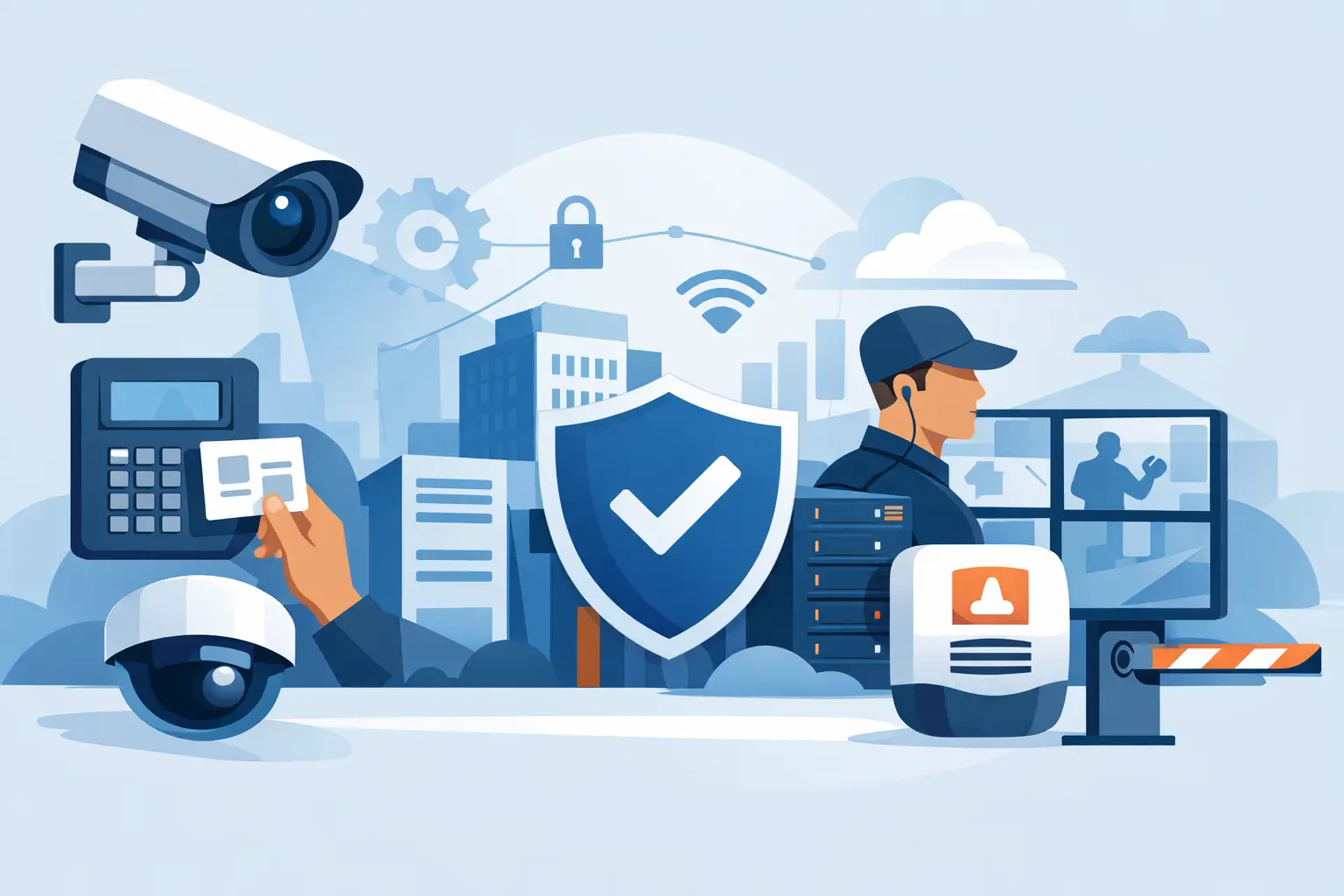
Most business physical security systems combine several technologies, but the mix depends on the building and the risk profile. Access control is usually the foundation. It replaces or supplements traditional keys with badge, mobile, PIN, biometric, or other credential-based entry. It creates a record of door activity and allows authorized staff to manage permissions from a central platform.
Video surveillance adds context. High-resolution cameras can document entries, exits, activity around valuable assets, and events at exterior doors or parking areas. Camera placement matters more than camera count. A poorly positioned camera may capture a hallway without capturing a face, an exchange, or the condition of a door. Lighting, field of view, retention requirements, and network capacity should be considered before installation.
Intrusion detection and monitored alarms provide another layer for locations that are vacant overnight or contain high-value property. Door contacts, motion detectors, glass-break sensors, panic buttons, and environmental sensors can trigger alerts when conditions fall outside normal activity. The response plan matters as much as the alert itself. Employees and designated contacts should know who receives notifications and what actions follow.
Visitor management can be valuable in offices, schools, healthcare settings, and other environments where guests arrive regularly. It helps document who is onsite, when they arrived, whom they are visiting, and whether they have been screened or issued temporary credentials. For some organizations, this is a basic front-desk process. For others, it is a critical layer of safety and compliance.
Integration Makes Security Easier to Manage
Standalone systems can work, but they can also create blind spots and administrative burden. If video, door access, alarms, and network management are handled by separate vendors, the organization may spend valuable time coordinating support during an incident. It may also be unclear who owns the problem when a door controller goes offline or video is unavailable.
Integrated systems make it easier to investigate events. When an access event can be matched with camera footage, a manager has stronger evidence than either system provides alone. When an alarm is connected to relevant video feeds, the team can assess the situation before dispatching personnel or law enforcement.
Integration should not mean adding complexity for its own sake. Smaller organizations may need a straightforward cloud-managed access and video platform with dependable support. A larger or more regulated organization may require advanced permissions, audit trails, segmented networks, redundant storage, and coordination with identity management or cybersecurity controls. The right design reflects business requirements, not a one-size-fits-all product list.
Design for Reliability and Privacy
Physical security depends on the technology behind it. Cameras, access controllers, storage appliances, wireless connections, and cloud platforms all rely on reliable power and network connectivity. If the security network is poorly designed, footage may drop, doors may fail to report status, and remote access may become unreliable at the moment it is needed most.
A sound deployment accounts for power backup, network segmentation, bandwidth, storage retention, user permissions, and device lifecycle management. Security devices should be protected from unauthorized network access just like laptops, servers, and cloud applications. Default passwords, outdated firmware, and unrestricted remote access can turn a physical security tool into a cybersecurity risk.
Privacy also deserves deliberate attention. Cameras should be placed for legitimate business purposes, not used to create unnecessary surveillance of employees or visitors. Organizations should define who can view live and recorded video, how long recordings are retained, and how requests for footage are handled. Requirements vary by industry and location, so policies should be reviewed with appropriate legal and compliance guidance.
Avoid the Most Common Implementation Gaps
Many systems underperform because the planning stopped at installation. Access permissions accumulate over time, camera views change as offices are rearranged, and staff turnover leaves outdated users in management portals. An annual review is a useful baseline, while high-turnover or regulated environments may need more frequent checks.
Businesses should also test real-world scenarios. Can the office manager quickly disable a lost credential? Can the designated team retrieve footage from a specific time and door? Will critical doors operate appropriately if internet service is interrupted? Can an alarm event be verified without driving to the site? These tests reveal weaknesses that are easy to miss during a routine demonstration.
Support ownership is another practical consideration. Hardware warranties do not replace ongoing management. Teams need a clear path for troubleshooting camera outages, modifying door schedules, adding users, responding to alerts, and planning upgrades. Plasma Networks helps organizations bring physical security, network infrastructure, and ongoing technology support under a more accountable operating model, reducing the friction of managing multiple providers.
Choose a System That Can Grow With the Business
A small office may begin with a few controlled doors and cameras, then add warehouse space, a second location, or more specialized security needs. Selecting a system with room to expand can protect the initial investment and avoid a disruptive replacement later. That does not mean purchasing every available feature upfront. It means choosing compatible technology and planning the infrastructure with future expansion in mind.
Cloud-managed platforms can reduce onsite hardware requirements and make multi-location administration easier. On the other hand, some organizations prefer local recording, tighter control of data, or a hybrid model because of their compliance, connectivity, or retention needs. The best choice depends on uptime requirements, budget, available IT resources, and the sensitivity of the information being captured.
A physical security system should make the business easier to run, not harder to administer. Start with the doors, spaces, and workflows that create the greatest risk. Build clear ownership around access, monitoring, and response. Then choose technology that gives your team dependable visibility today and a practical path forward as the organization changes.