
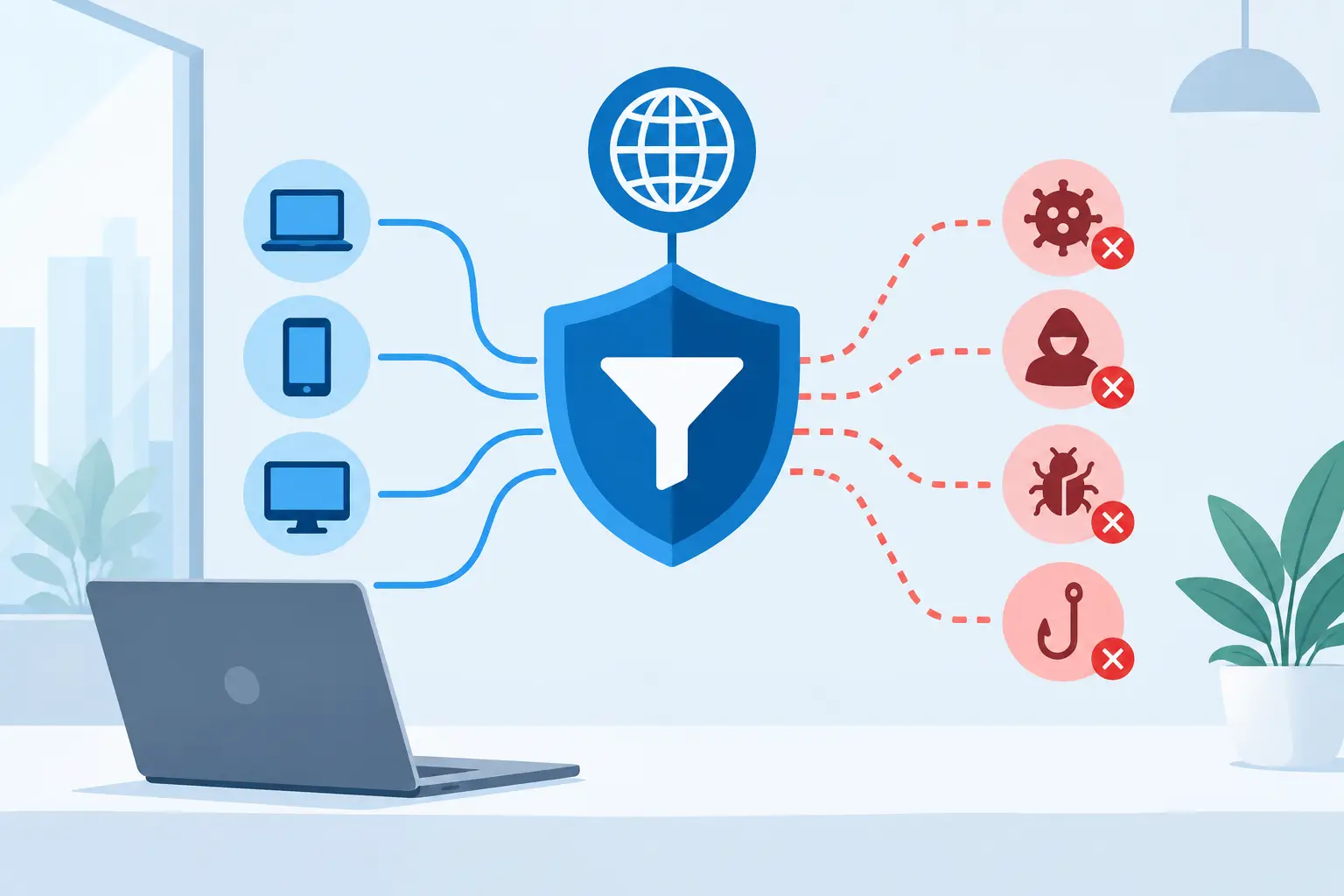
A single mistyped web address can become a ransomware event, a credential theft incident, or hours of lost productivity. When you set up DNS filtering, your business gains a practical control point that stops many unsafe connections before an employee’s browser ever reaches the destination. It is one of the most effective ways to reduce everyday web risk without placing more responsibility on users.
DNS filtering is not a replacement for endpoint protection, email security, patching, or employee awareness. It is a complementary layer that helps your organization prevent common threats from reaching users in the first place. For small and mid-sized businesses, that prevention can be far less disruptive and costly than responding after a device or account has been compromised.
What DNS Filtering Does for a Business Network
Every time a user visits a website or an application connects to an internet service, it uses the Domain Name System, or DNS, to translate a domain name into an IP address. DNS filtering evaluates that request before it is resolved. If the requested domain is known to be malicious, associated with phishing, categorized as inappropriate, or prohibited by company policy, the filtering service blocks access.
That simple process can protect users against phishing sites, malware distribution domains, command-and-control infrastructure, newly registered suspicious domains, and unwanted content categories. It also gives IT teams visibility into attempted connections that may point to a compromised device, risky user behavior, or an application that needs investigation.
The business benefit is straightforward: fewer successful connections to harmful destinations means fewer preventable security incidents. Filtering can also support acceptable-use policies, reduce bandwidth consumed by nonbusiness traffic, and help organizations apply more consistent web controls across offices and remote employees.
Start With Policy, Not Just Technology
The most common mistake is treating DNS filtering as a switch that can be turned on with a generic block list. The technology is straightforward. The policy decisions require more care.
Before selecting categories and enforcement rules, define what the organization needs to protect and what work must continue without interruption. A manufacturer may need access to specialized supplier portals that have a poor reputation score. A marketing department may have legitimate reasons to visit social media sites and image-hosting platforms. A healthcare or financial services organization may have stricter compliance and data protection requirements than a professional services firm.
Start by identifying the categories that should almost always be blocked, including malware, phishing, botnets, cryptomining, known command-and-control sites, and domains associated with newly observed threats. Then determine how to handle categories such as streaming media, gambling, adult content, social media, file sharing, and anonymizers. Some categories belong in a company-wide policy; others may need to vary by department, location, or user role.
A clear exception process matters as much as a block policy. Employees should know how to report a blocked site that is required for their work, and IT should have a documented method for reviewing and approving exceptions. Otherwise, users may seek workarounds that create more risk than the original request.
How to Set Up DNS Filtering in a Controlled Rollout
A structured rollout limits disruption and gives the business time to refine policy. Most organizations should begin in monitoring or alert-only mode when the platform supports it. This lets the IT team see which domains would have been blocked before enforcement begins.
1. Map where DNS requests originate
Identify every environment that needs protection: office networks, branch locations, guest Wi-Fi, data center systems, cloud workloads, remote laptops, mobile devices, and virtual private network users. Network-based filtering can cover devices at a specific site, but it may not protect employees working from home or traveling unless it is paired with an endpoint agent or managed client.
This inventory should include infrastructure devices as well. Printers, cameras, voice systems, network appliances, and Internet of Things devices often make DNS requests and may have limited built-in security controls. Their traffic should be visible and governed, while allowing the domains they need for updates and cloud services.
2. Choose the right enforcement method
DNS filtering can be deployed at several layers. A firewall or router can direct all network DNS traffic to a filtering provider, which is often effective for an office or branch. Endpoint agents extend protection beyond the office and are usually the better choice for mobile users. Some organizations use both: network enforcement for managed sites and agents for users who work from anywhere.
The right model depends on your operations. If every employee works from a single Cleveland office, network-level filtering may provide meaningful protection quickly. If your workforce is distributed, travels often, or uses laptops on home networks, endpoint-based enforcement is essential for consistent coverage.
Avoid relying solely on manually configured DNS settings on individual computers. Users or applications can change those settings, and unmanaged systems may never receive the intended policy. Centralized enforcement through managed network equipment, mobile device management, or endpoint management is more dependable.
3. Prevent easy bypasses
Modern browsers and applications may use encrypted DNS methods, such as DNS over HTTPS, that can bypass a local network resolver if not managed properly. Your DNS filtering design should account for these protocols through browser policies, endpoint controls, firewall rules, or the filtering platform’s recommended configuration.
Also review whether users can connect unauthorized VPNs, proxy services, or personal hotspots to avoid policy controls. The goal is not to over-police employees. It is to ensure that the security standard applies consistently when business devices access business data.
4. Build policies by risk and role
Apply a baseline security policy to every user and device, then add targeted policies where there is a legitimate business need. For example, finance and executive teams may warrant stricter protection against newly registered domains and high-risk web categories because they are frequent targets for credential theft and payment fraud.
Guest networks should be separated from internal business systems and assigned their own policy. A guest should not have a path to internal resources, and guest activity should not complicate reporting on corporate devices. Similarly, server and infrastructure policies should focus on preventing malicious connections without blocking required vendor update services or cloud platforms.
5. Test before enforcing broad blocks
Run the proposed policy with a pilot group representing different departments. Review blocked and allowed activity with the users who understand their workflows. This is where legitimate-but-unfamiliar domains, software update services, and industry-specific applications are most likely to surface.
Tune the policy before applying it company-wide. A small number of carefully reviewed allow rules can prevent unnecessary help desk calls, but avoid broad exceptions such as allowing an entire high-risk category. Exceptions should be specific, documented, time-limited when possible, and reviewed regularly.
Monitor DNS Filtering as a Security Signal
DNS filtering produces valuable security data, but only if someone reviews it. A spike in blocked phishing domains may indicate that employees are receiving a new email campaign. Repeated attempts by one device to contact suspicious infrastructure can be an early warning of malware. Regular requests to prohibited categories may point to a policy, training, or management issue.
Set alerts for high-confidence threats, repeated blocked requests from the same device, and activity tied to privileged accounts or critical systems. Integrating DNS logs with a security information and event management platform can improve correlation with endpoint, firewall, identity, and email security events. For many smaller organizations, a managed IT or cybersecurity provider can take ownership of this monitoring and escalation process.
Review reporting on a regular schedule. Monthly reports can show trends in blocked threats, devices with unusual activity, policy exceptions, and categories creating the most operational friction. Security controls should be adjusted based on real business activity, not left unchanged after the initial deployment.
Know the Limits of DNS Filtering
DNS filtering is highly valuable, but it cannot inspect everything. It will not stop a user from entering credentials into a convincing website that has not yet been identified as malicious. It cannot replace multifactor authentication, endpoint detection and response, secure email controls, data backups, or a tested incident response plan.
It may also create false positives. Reputation data changes quickly, and legitimate sites can be newly registered, compromised, or categorized incorrectly. That is why a responsive exception process and ongoing review are operational requirements, not optional extras.
Organizations with compliance obligations should also consider how DNS logs are retained, who can access them, and whether policies are applied consistently across locations and remote workers. Visibility is useful, but it must be handled as part of a broader security governance process.
A well-managed DNS filtering program turns a routine network service into an active line of defense. Start with the threats most likely to disrupt your business, deploy controls where your people actually work, and keep refining the policy as applications, users, and risks change. That approach protects productivity while giving your team a clearer view of what is trying to reach your network.


